¶ Install the Orion extension in Chrome/Edge/Firefox
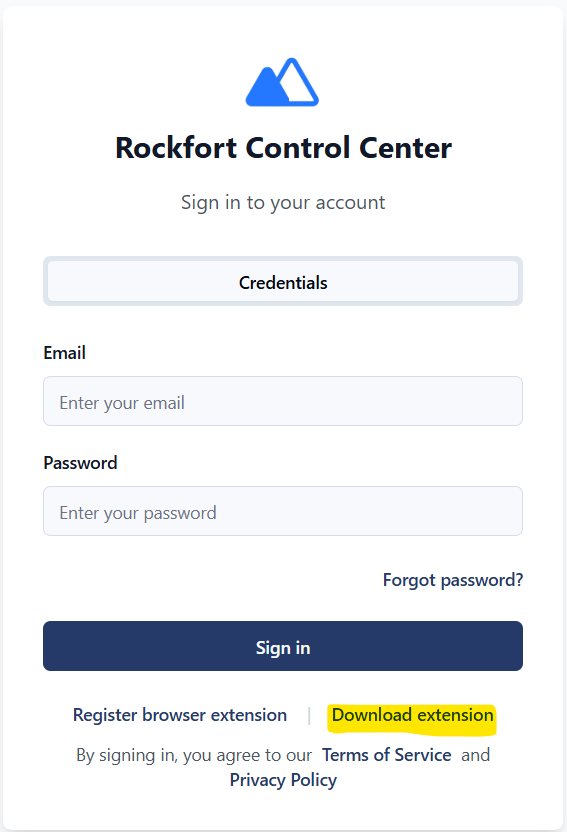
Access your internal Rockfort landing Screen (Login Screen) and download the latest extension zip from the link
¶ Prerequisites
- Google Chrome | Microsoft Edge | Firefox.
(or Chromium-based browser that supports unpacked extensions). - Access to Rockfort Portal (Ensure you have access to internally hosted rockfort portal)
¶ Step 1 — Get the package
- Obtain the official ZIP build.
- Extract the ZIP to a fixed path,
After extraction you should seemanifest.jsonin that folder
If the ZIP has one root folder (e.g. extensiontry\manifest.json), point Load unpacked at that inner folder—the one that directly contains manifest.json.
¶ Step 2 — Turn on Developer mode
- Open Browser.
- Open Manager Extensions
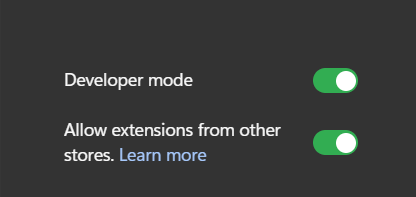
- Enable Developer mode (toggle on the manage extensions screen).
¶ Step 3 — Load unpacked
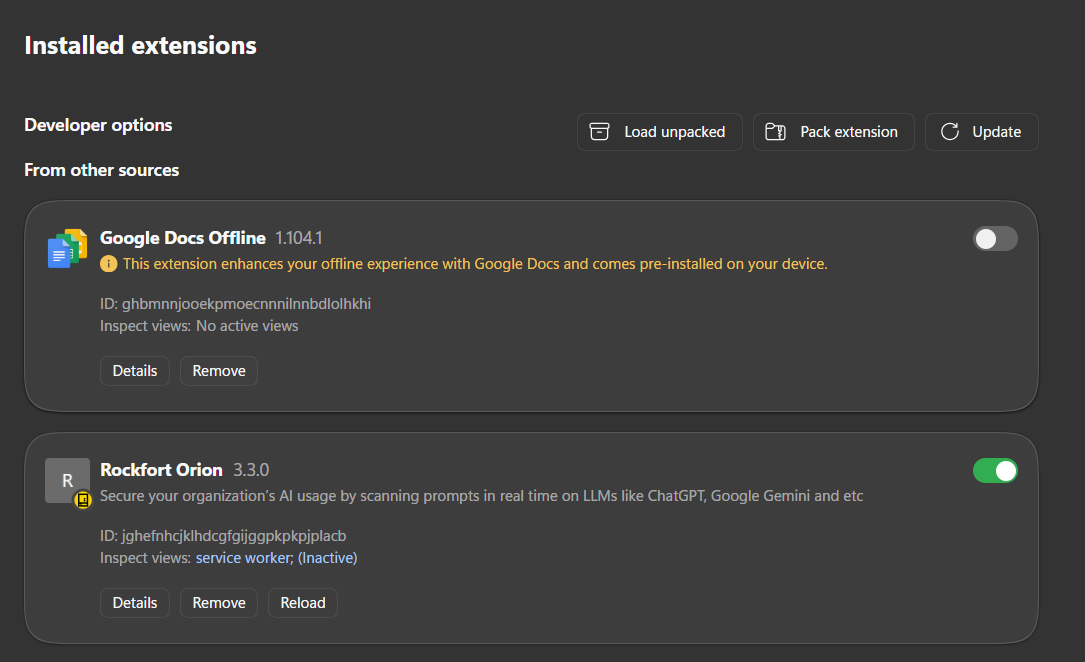
- Click Load unpacked.

2. Select the folder that contains **`manifest.json`** (the extracted directory from Step 1).
3. Confirm the extension appears in the list and the **toolbar** / **puzzle** menu shows the extension.
¶ Step 4 — Pin the icon (optional)
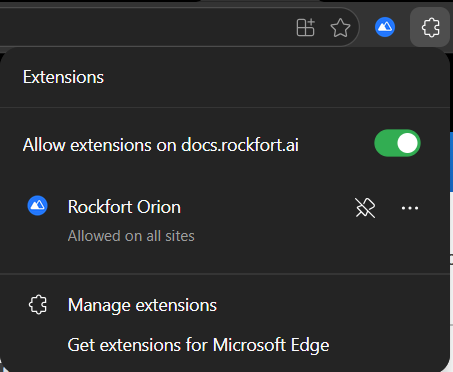
- Click the extensions (puzzle) icon in the toolbar.
- Find Rockfort Orion and use Pin so it stays visible.
¶ Troubleshooting
| Issue | What to check |
|---|---|
| Load unpacked fails | Folder must contain manifest.json at the selected path. |
¶ Related docs
- Installation via Intune (MDM) — Microsoft Intune, force-install, allow list, pinning via policy.